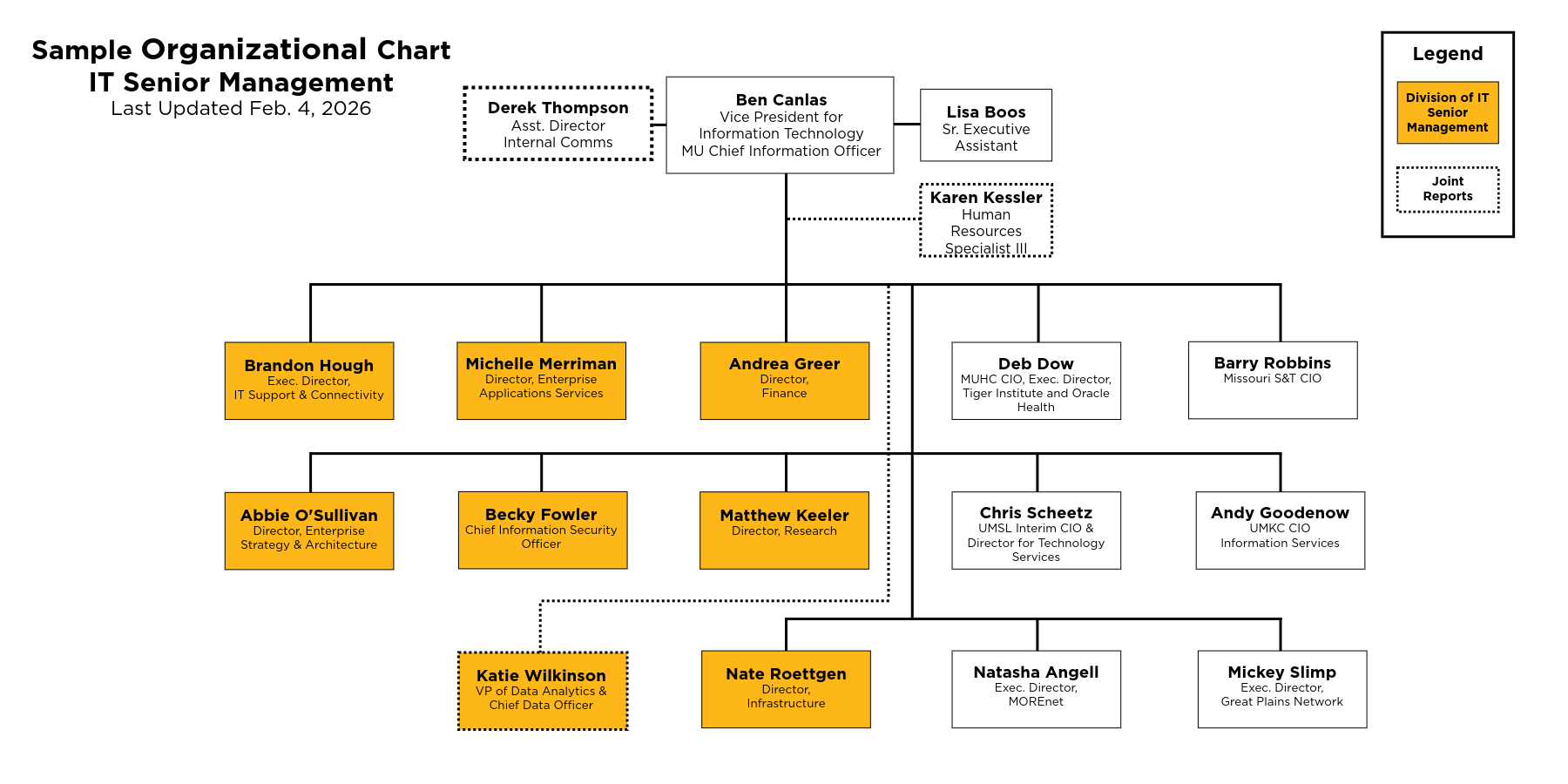
Organizational charts are useful in displaying the structure and hierarchy of a team or unit within an organization. Because they are highly visual and depict complex relationships, these charts are considered complex graphics and require some additional features to make them digitally accessible.
To make them accessible, you’ll need to provide descriptions or alternative formats. Alt text isn’t a viable solution because the text would be too lengthy to be usable by screen readers. Instead, follow these recommendations to create accessible org charts.
Step 1: Start with a text outline
Using Microsoft Word or your word processor of choice, create a text outline of the chart. Start by outlining the organization’s departments and listing the roles within each department using an unordered list. (Include any joint or dual reports in parentheses. See the example chart below.)
Step 2: Create your visual org chart
If you need to create a new org chart, use the tool of your choice, such as PowerPoint or Adobe Express. Refer to Mizzou’s brand guidelines to ensure consistency with brand colors and standards.
Step 3: Build and publish the org chart to a web page
Units and teams may be structured in different ways. The following provides a rough outline of how to create an accessible org chart.
Outline of org chart components:
- Be mindful of header hierarchy when creating an org chart. Use a heading level 2 (H2) for the title of the org chart
- Include a last updated date for your org chart
- Include the head of the organization/team as a heading level 3 (H3) — optional
- Use an accordion with sections for each department
- Heads of each department should be formatted as heading level 4 (H4)
- List names in an unordered list using nested lists for reports below each role
- Insert a graphical org chart
- Be sure to include alt text directing users to the text version (e.g. “Graphical version of department organizational chart. See above for text version”)
- Link to a downloadable PDF of graphical org chart (optional)
Refer to the example below for an accessible org chart. Note that the titles and positions can be modified for your unique area.
Example org chart
Last update Feb. 4, 2026
Ben Canlas, vice president for Information Technology and MU Chief Information Officer
- Lisa Boos, Senior Executive Assistant
- Karen Kessler, Human Resources Specialist III (joint report)
- Derek Thompson, Assistant Director of Internal Communications (joint report)
Reporting to the Vice President:
Brandon Hough, Executive Director, IT Support & Connectivity
- Direct reports to be listed here
- Next level reports to be listed here
Michelle Merriman, Director, Enterprise Applications Services
- Direct reports to be listed here
- Next level reports to be listed here
Andrea Greer, Director, Finance
- Direct reports to be listed here
- Next level reports to be listed here
Abbie O’Sullivan, Director, Enterprise Strategy & Architecture
- Direct reports to be listed here
- Next level reports to be listed here
Becky Fowler, Chief Information Security Officer
- Direct reports to be listed here
- Next level reports to be listed here
Matthew Keeler, Director, Research
- Direct reports to be listed here
- Next level reports to be listed here
Katie Wilkinson, VP of Data Analytics & Chief Data Officer (joint report)
- Direct reports to be listed here
- Next level reports to be listed here
Nate Roettgen, Director, Infrastructure
- Direct reports to be listed here
- Next level reports to be listed here
Deb Dow, MUHC CIO, Executive Director, Tiger Institute & Oracle Health
- Direct reports to be listed here
- Next level reports to be listed here
Barry Robbins, Missouri S&T CIO
- Direct reports to be listed here
- Next level reports to be listed here
Chris Scheetz, UMSL Interim CIO & Director for Technology Service
- Direct reports to be listed here
- Next level reports to be listed here
Andy Goodenow, UMKC CIO Information Services
- Direct reports to be listed here
- Next level reports to be listed here
Natasha Angell, Executive Director, MOREnet
- Direct reports to be listed here
- Next level reports to be listed here
Mickey Slimp, Executive Director, Great Plains Network
- Direct reports to be listed here
- Next level reports to be listed here